
Berkeleyans can use the City’s Report & Pay web app on any device to quickly access the most frequently requested services.
- Apply: for a job or services ranging from a business license to a building permit
- Request: services or documents, from public records and birth certificates to library cards and street tree maintenance
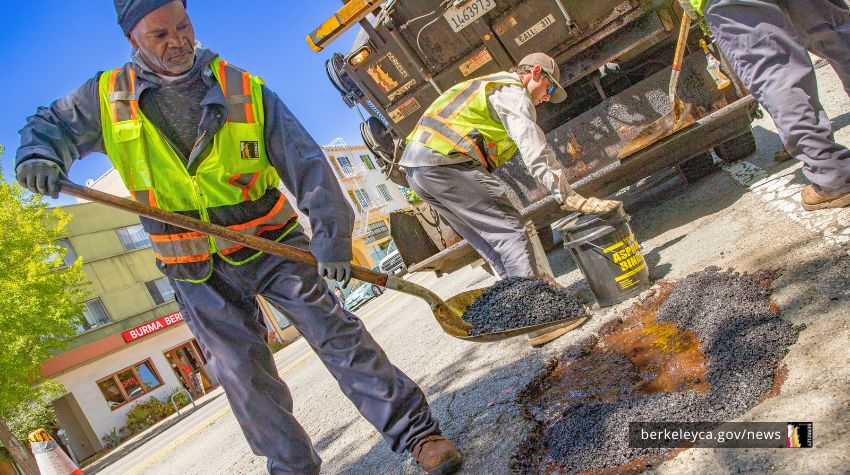
- Report: issues such as missed trash pick-ups, illegal dumping, and potholes
- Pay: bills such as refuse, residential parking, or parking tickets
The web-based app can be used at any time of day to complete over 35 common tasks. It also allows you to report or request general items not found on the list.
The Report & Pay tool directly connects into the reporting system that staff use to track certain issues. As a result, when you want to report issues like potholes or illegal dumping, you can add photos directly from your smartphone.
Find the Report & Pay tool from the berkeleyca.gov homepage. The web app requires no extra software from an app store. You can simply save the web page to the home screen of a smartphone or tablet. Use it like an app built for your phone.
Visit the online Report & Pay Tool. Save it to your smartphone or bookmark it. Use it at any time.
Save the Report & Pay tool as a web app on your phone
For those who are new to saving a web app onto your smartphone, a few tips can help.
Use your browser to navigate to berkeleyca.gov/report-pay, then:
- On Safari browser in iOS
- Tap: three dots or share icon that looks like a box with up arrow
- Then Share button, scroll down until you find "Add to Home Screen”
- Rename Report & Pay, click Add
- On Chrome browser in Android
- Tap the three dots
- Tap Add to Home screen
- Rename it “Report & Pay” and then tap “Add”
Track and follow up on requests
For certain tasks – such as reporting a pothole or illegal dumping – you can create an account to receive updates.
To help staff respond efficiently, add photos, locations, and detailed information.
To request or access key services, use the Report & Pay Tool on your smartphone, tablet or computer.
Get trusted information about the City of Berkeley by bookmarking berkeleyca.gov, subscribing to our newsletter, and following us on Bluesky and Instagram.